Confirm the merchant details and geography
Check that your store’s registered location and business identity align with the PayPal business account you plan to use. Account eligibility, payment methods, settlement currencies and charges depend on the current regional and account terms.
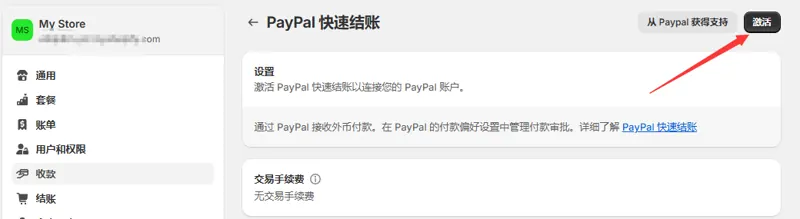
Start authorization in Shopify admin
Review the available PayPal option in payment settings. Have an authorized administrator start the connection, verify that the correct merchant account appears, and complete authorization and any outstanding account information.
Verify payment and order status
Use the available testing workflow to check payment options, order status and notifications from the customer’s perspective. Confirm settlement currency and your refund workflow afterward. Guest card availability depends on the checkout and account configuration.